








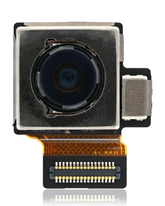
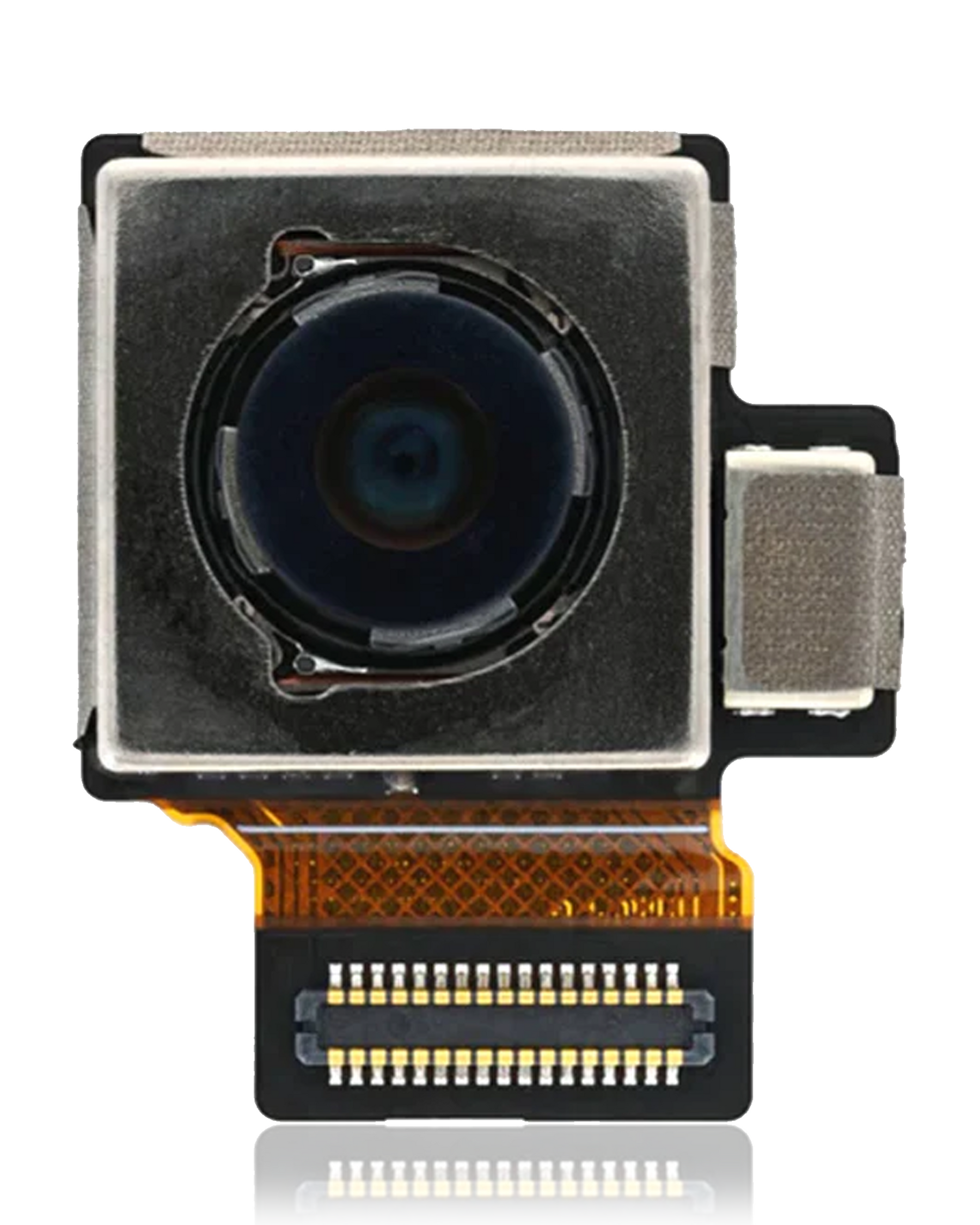
Google Pixel 6a Main Rear Camera Replacement | Back Camera Module
A properly working rear camera is one of the most important features of a modern smartphone. If the main camera on your Google Pixel 6a has stopped working, produces blurry or distorted images, refuses to focus, or shows a black preview, replacing the faulty camera module can be a practical solution. This Google Pixel 6a camera replacement is designed for the main rear camera and provides a reliable option for repairing a Pixel 6a with a confirmed camera hardware fault.
The main rear camera is used for everyday photography, video recording, document scanning, social media content, travel photography, family pictures, and many other tasks. When the camera module develops a fault, the problem can significantly affect the overall smartphone experience. Instead of replacing the entire phone, replacing the defective camera can help restore the camera functionality while allowing you to continue using your existing Pixel 6a.
This replacement camera module is intended specifically for the Google Pixel 6a main rear camera. It should not be confused with the front selfie camera or the rear ultrawide camera, as these are separate components.
If you are searching online for a Google Pixel 6a camera, selecting the correct camera type is essential. This product is designed for the main rear camera position and is suitable for repair applications where the original camera module has been diagnosed as faulty.
Key Features
- Main rear camera replacement for Google Pixel 6a
- Designed for repairing camera hardware faults
- Suitable replacement for a defective rear camera module
- Designed for proper internal compatibility
- Compact camera replacement component
- Suitable for professional mobile repair
- Ideal for repair shops and technicians
- Quality checked before dispatch
- Securely packaged for safe transportation
- Practical alternative to replacing the complete smartphone
Common Signs of a Faulty Pixel 6a Main Camera
A damaged or failing main rear camera can show different symptoms. Some common signs that the camera may require replacement include:
- Rear camera does not open
- Black screen when opening the camera
- Photos appear consistently blurry
- Camera cannot focus correctly
- Images have unusual spots or lines
- Photos appear distorted
- Camera application crashes
- Camera works only intermittently
- Video recording does not work properly
- Camera error appears repeatedly
- Camera stopped functioning after an accidental drop
- Physical damage to the camera module
Not every camera issue is caused by the camera hardware itself. Software problems, damaged connectors, motherboard faults, or other internal components can produce similar symptoms. A proper diagnosis is recommended before replacing the camera.
Restore Your Google Pixel 6a Camera
If your Pixel 6a is otherwise functioning normally, there may be no reason to replace the entire device simply because the main rear camera has failed.
Replacing the defective camera module can restore the phone's ability to capture photos and videos while extending the useful life of the smartphone.
A working main camera is useful for:
- Everyday photography
- Family and personal photos
- Travel photography
- Product photography
- Video recording
- Social media content
- Document scanning
- QR code scanning
- Video and image-based applications
A camera replacement can therefore make a significant difference to the usability of a damaged Pixel 6a.
Main Rear Camera Replacement for Professional Repairs
This replacement component is suitable for mobile repair technicians and repair businesses handling Google Pixel 6a camera-related repairs.
The camera module is installed internally, so proper handling and installation are important. A technician can remove the defective module and install the replacement while inspecting the camera connector and surrounding components for any additional damage.
For repair shops, having the correct Google Pixel 6a camera replacement available can help provide customers with a practical repair option instead of recommending complete phone replacement.
Google Camera 6 – Camera Hardware vs Software
The keyword “google camera 6” is often associated with searches for Google camera features, camera applications, or Pixel camera software.
This product is different. It is a physical main rear camera replacement module for the Google Pixel 6a. It is not a camera application, APK, software update, or downloadable camera feature.
If you are looking for a physical replacement because your Pixel 6a's main rear camera has stopped functioning properly, this product is intended for that hardware repair.
Why Replace the Camera Instead of the Phone?
A faulty camera does not necessarily mean the entire smartphone has reached the end of its useful life.
If your Pixel 6a display, motherboard, battery, charging port, speakers, microphones, and other components are functioning normally, replacing the defective main camera can be a sensible repair solution.
Replacing the camera can help you:
- Restore normal rear-camera functionality
- Continue taking photos
- Record videos again
- Extend the life of your Pixel 6a
- Avoid replacing an otherwise functional smartphone
- Reduce unnecessary electronic waste
- Provide a cost-effective repair option
This makes the replacement suitable for both individual customers and professional repair businesses.
Installation Information
Professional installation is recommended because the main rear camera is installed inside the smartphone and requires careful handling of the internal components.
A typical repair process may include:
- Power off the Google Pixel 6a completely.
- Open the device using suitable professional repair tools.
- Disconnect the battery and relevant internal connectors.
- Locate and remove the defective main rear camera.
- Install the replacement camera module carefully.
- Reconnect the internal components.
- Power on the device.
- Test the camera thoroughly before completing the repair.
The camera connector should be handled carefully during installation. Avoid applying excessive pressure to the camera module or its connector.
Keep the camera lens area clean and free from dust, fingerprints, adhesive, and other contaminants because even small particles can affect image quality.
Test the Replacement Camera Before Final Assembly
Thorough testing is recommended before permanently completing the repair.
The technician should check:
- Camera application opens normally
- Main rear camera activates correctly
- Camera preview appears clearly
- Autofocus works properly
- Photos are captured correctly
- Video recording functions normally
- Images do not contain unexpected spots or lines
- Camera remains stable during repeated use
- No camera hardware error appears
Testing the camera before final assembly can help identify installation or connection problems while the phone is still accessible.
Main Camera vs Front and Ultrawide Camera
The Google Pixel 6a has multiple camera components, so choosing the correct replacement is important.
This product is specifically designed for the main rear camera.
It should not be confused with:
- Front selfie camera
- Rear ultrawide camera
- Camera lens glass
- Camera software or application
If your main rear camera is working but the ultrawide camera has failed, this is not the appropriate replacement. Similarly, a faulty front camera requires a different camera module.
If you are unsure which camera has failed, professional diagnosis is recommended before ordering.
Quality Replacement for Pixel 6a Repair
Choosing the right camera module is important because smartphone camera components communicate with the device through dedicated internal connectors and hardware.
A correctly matched replacement gives technicians a practical component for repairing a Pixel 6a with a confirmed main-camera fault.
This replacement is intended for customers who want to restore their device rather than replace the complete smartphone.
Why Buy from MacFactory?
MacFactory supplies smartphone replacement parts and repair components to customers and professional technicians across India.
When purchasing a Google Pixel 6a camera, compatibility is one of the most important factors to consider. This product is specifically intended for the main rear camera of the Pixel 6a and is suitable for professional repair applications.
Benefits of Buying from MacFactory
- Google Pixel 6a-compatible camera replacement
- Main rear camera module
- Suitable for professional repair
- Quality checked before dispatch
- Secure protective packaging
- Suitable for repair shops and technicians
- Shipping available across India
- Practical repair solution
Important Compatibility Information
Before placing your order, confirm that your device is the Google Pixel 6a and that the defective component is the main rear camera.
Camera modules from different Google Pixel models can have different designs, connectors, and specifications. A camera that appears similar may not necessarily be compatible with your phone.
If you are uncertain whether you need the main rear camera, ultrawide camera, or front camera, have the device inspected by a qualified technician before purchasing.
Restore Your Pixel 6a Photography Experience
A failed main rear camera can make an otherwise fully functional smartphone difficult to use for everyday photography. Fortunately, replacing the defective camera module can provide a practical way to restore the phone without replacing the entire device.
This Google Pixel 6a camera replacement is designed specifically for the main rear camera and is suitable for repairing a Pixel 6a with a confirmed camera hardware failure. Once correctly installed and tested, it can help restore everyday photography and video recording.
Whether you are a professional mobile repair technician or a Pixel 6a owner looking to repair a faulty camera, this replacement provides a practical option for extending the useful life of your device.
For the best results, professional installation is recommended. Always verify the exact device model and camera component before ordering, and thoroughly test the replacement before completing the repair.
Description-
- No Return / No Exchange Policy / No Warranty.
- Please check the model number and match it with your Product.
- Super Quality
- Every product crosscheck Before Shipping.
How to Install / Tips:
- Please choose the right part before placing an order.
- Please try to handle the repair or replacement work in a dry and dust-free environment without direct sunlight.
- Special tooling is required for the repair or replacement work.
- The installation of any new parts should be done by a qualified person. MF is not responsible for any damage caused during installation.